Mahaswarajya Olakh Portal Back
Mahaswarajya Olakha Registration
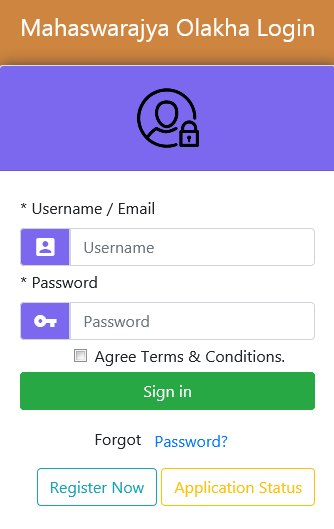
- step-1 :Enter the user name or Email ID
- step-2 :e.g. Xyz@#123 or xyz@gmail.com
- step-3 :if you are writing the user name then please include at least capital letter and alphabets also numeric letters.
- step-4 :Enter your password.
- step-5 :Please enter your own password not entered your Email-ID password
- step-6 :Tick in check-box where agree term and condition
- step-7 :Click on Register now if you are new user
- step-8 :Click on sign in if you already register in that poratal.
- step-9 :Click on application status if have to check fill up status of your form.
USER REGISTRATION
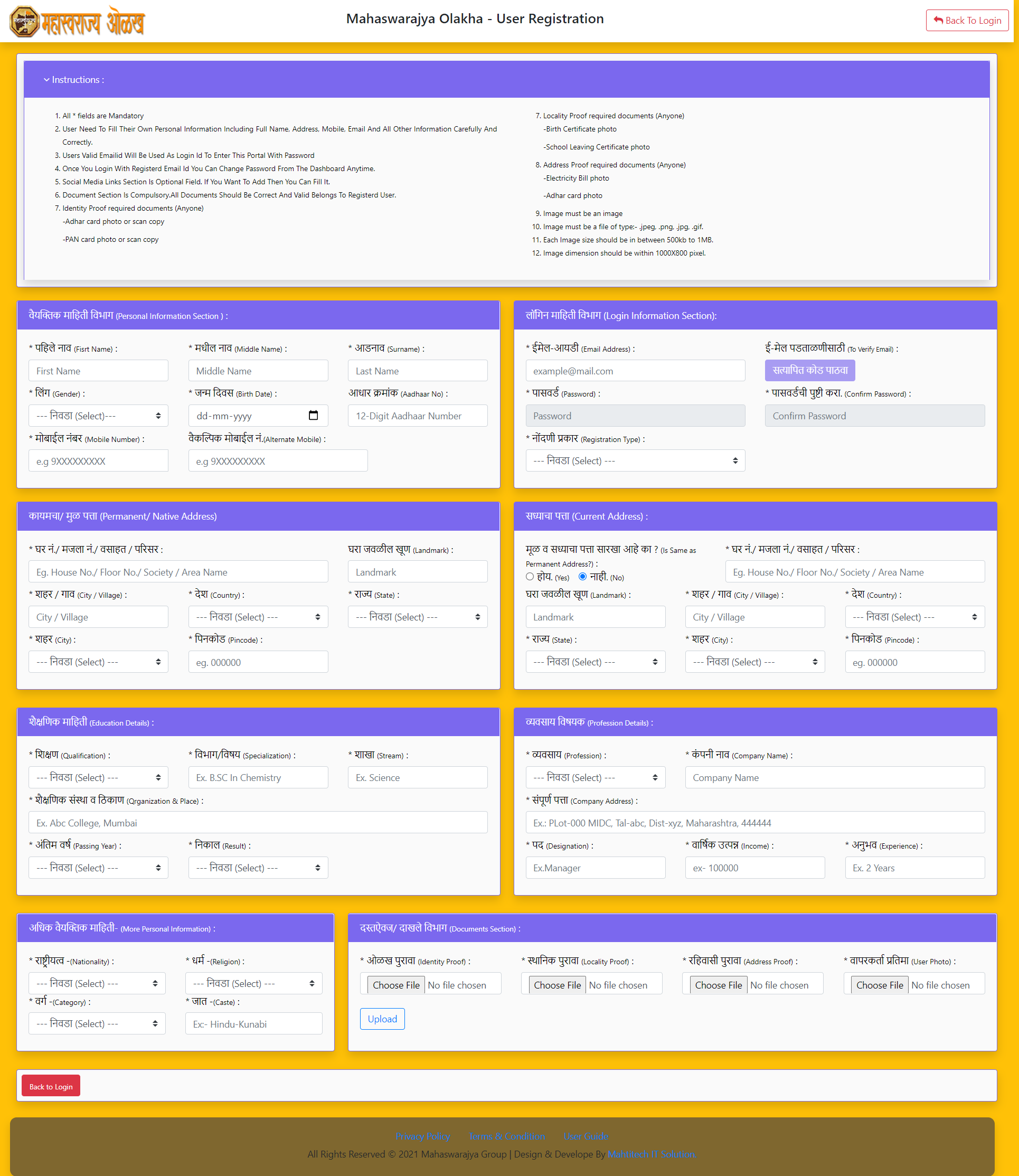
- step-1 :Read all instruction.
- step-2 :Enter Your Personal Information Fullname, Gender, Birthdate,Mobile Number, Alternative Phone, Aadhaar Number Fill-Up All This.
- step-3 :Enter Your Login Information Like Email address Click On Send Verification Code and verifiy it. Enter password which Must contain at least one number and one uppercase and lowercase letter, and at least 8 or more characters and choose your Registration Type
- step-4 :Fill Up Your Permanent and Current address.
- step1 :Enter Your Login Information Section In That Enter Your Email-ID And Click On Send Verification Code.
- step-5 :Enter your Educational deatils
- step-6 :Enter your Business deatils
- step-7 :Select your more Personal deatils like Nationality,Religion,Category,Caste
- step-8 :In Document Section You Have To Upload Mentioned Documents.
- step-9 :Image Size Should Be 200KB To 1MB.
- step-10 :After Fill-Up All Details You Have To Click On Confirm And Submit.
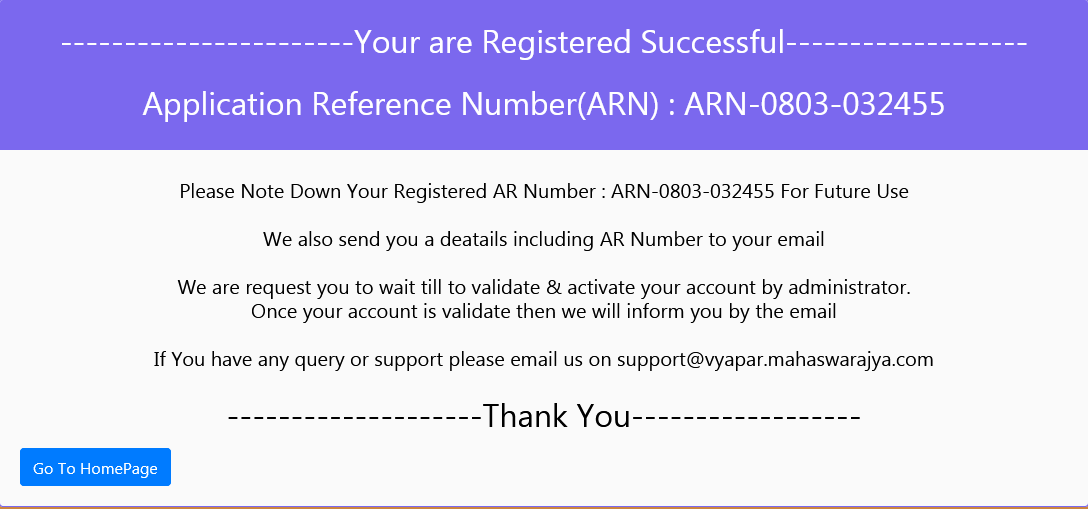
step-1 :After click on submit and confirm you will get ARN number keep this for future use.
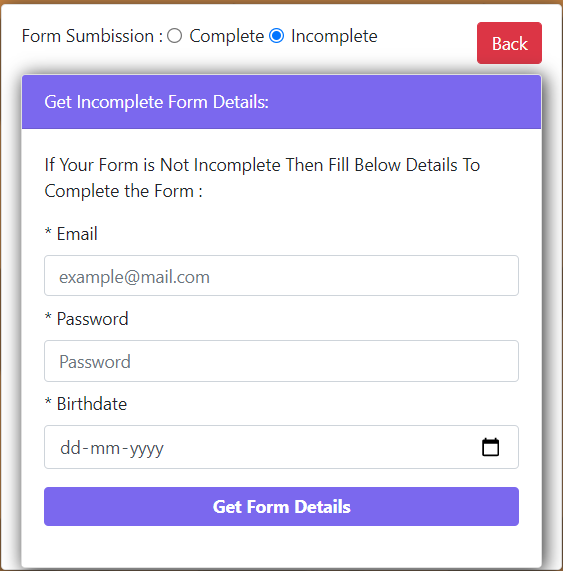
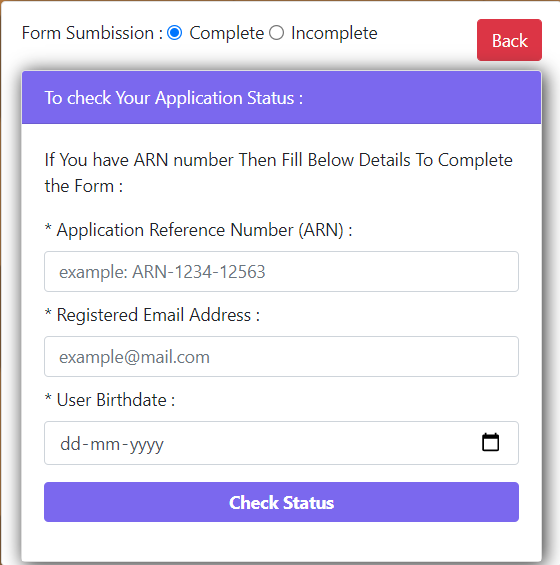
- step-1 :If you have to check the status of your application form then clicks on Application status.
- step-2 :You will get two form
- To check complete application status.
- Get incomplete form details.
- step-3 :If you have to fill-up incomplete form details then put Email_id Birthdate, Password click On Get form details to button.then your incomplete form will open and fill it and submit. then your ARN number will be dispalyed.
- step-4 :after ARN number you have to put this in complete application form
- step-5 :If you have ARN Number then enter Registered Email Address,user birthdate then click on Check Status you will get MSI Number.
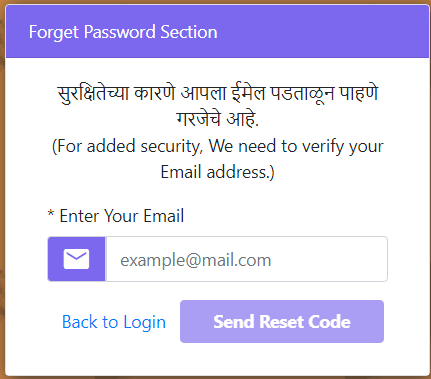
- step-1 :If You Forgot Your Password Then Just Enter Your Email Id Click Outside And Resend it.
- step-2 :On Your Mail-Id You Will Get Verification Code.
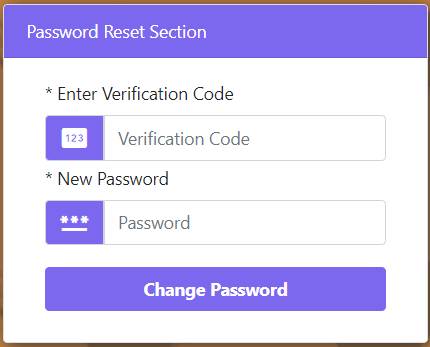
- Step-1 :Enter Verification Code here which is got you on your mail id.
- Step-2 :Enter New Password. And Click On Change Password.

- step-1 :After you got Approvation you will get mahaswrajya-olakh-user portal.
- step-2 :In that you have got three things.
- Dashboard
- Mahaswrajya vyapar.
- Setting
- Profile :if you have to change your profile then click on setting after that click on profile.
- Password Setting :Also You can change your password